Client work / University of Dubai
UD Smart Lab Dashboard
A web dashboard for a smart lab at the University of Dubai that shows the room as an interactive 3D model, with live temperature, energy, weather and camera views around it. It was built by a small team for a research project on smart environments.
The lab is rendered as a real 3D model you can orbit, with sensor readings and a camera feed placed inside the scene, and one ask bar that takes plain language by text or voice.
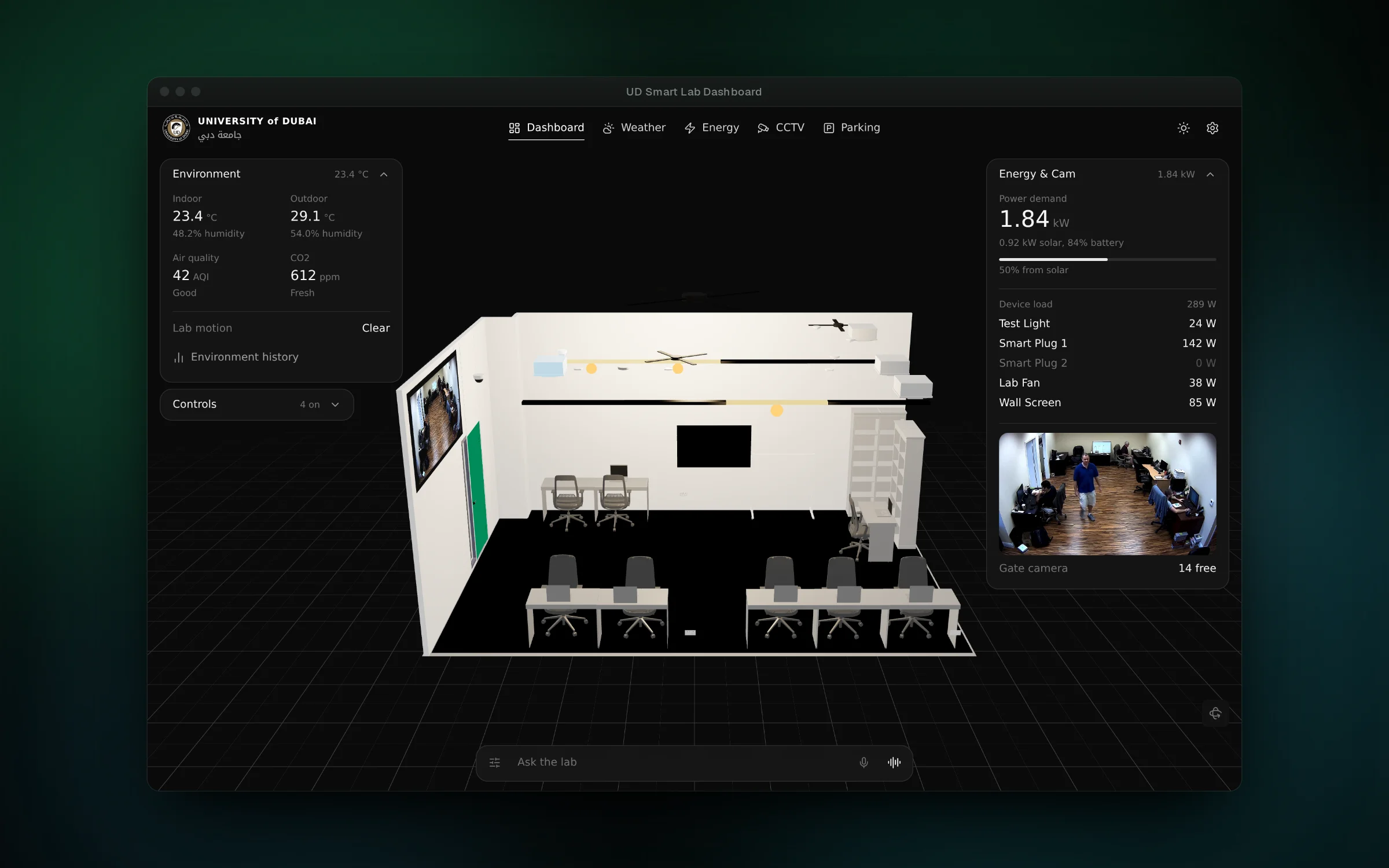
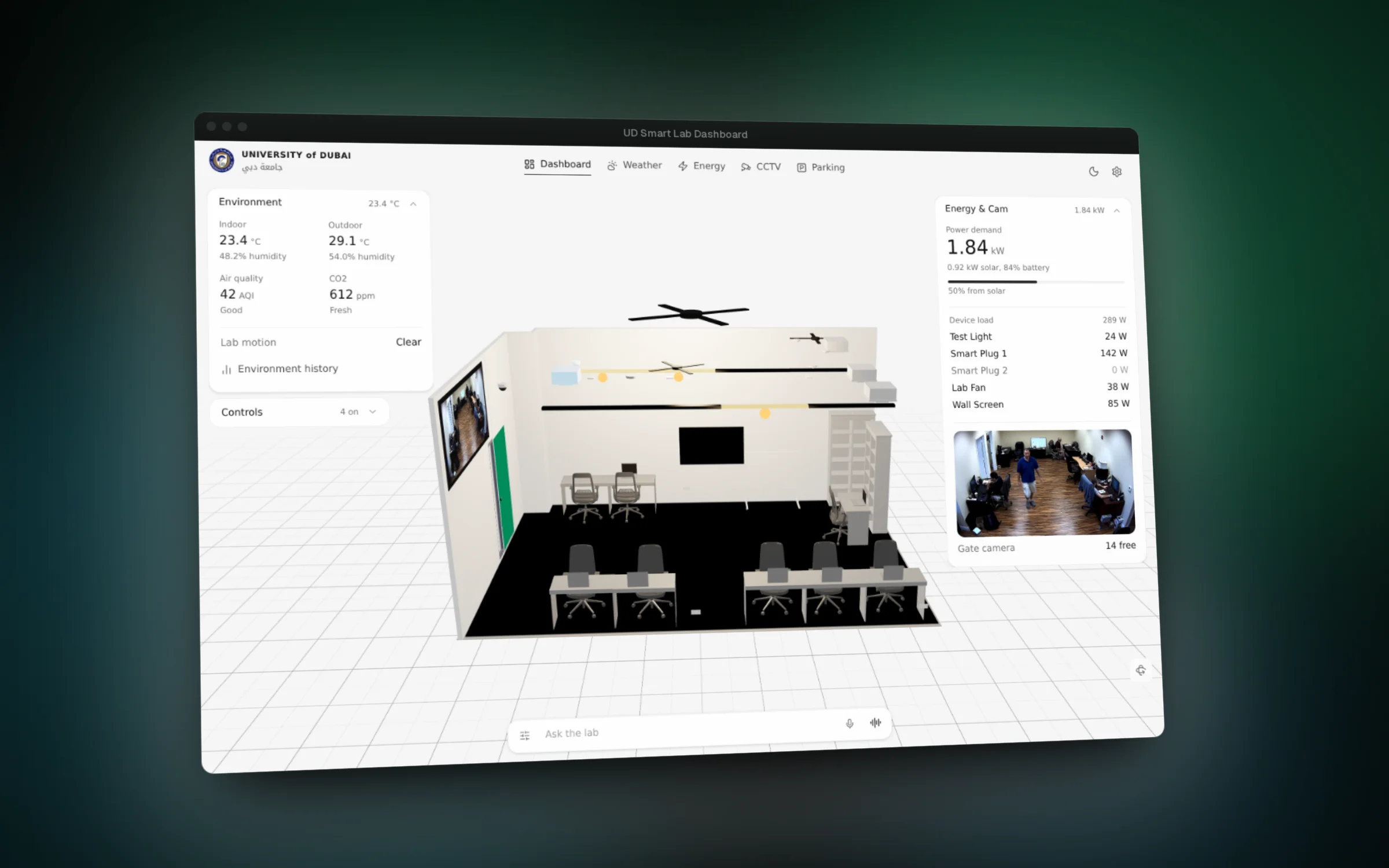
01 / 09The lab as a 3D model, with climate on one side and power and the gate camera on the other
Overview
The University of Dubai is running a research project on smart environments: one physical lab fitted with sensors, smart plugs, a weather station and cameras, all connected through Home Assistant. The team needed a dashboard that makes the room's state easy to read at a glance.
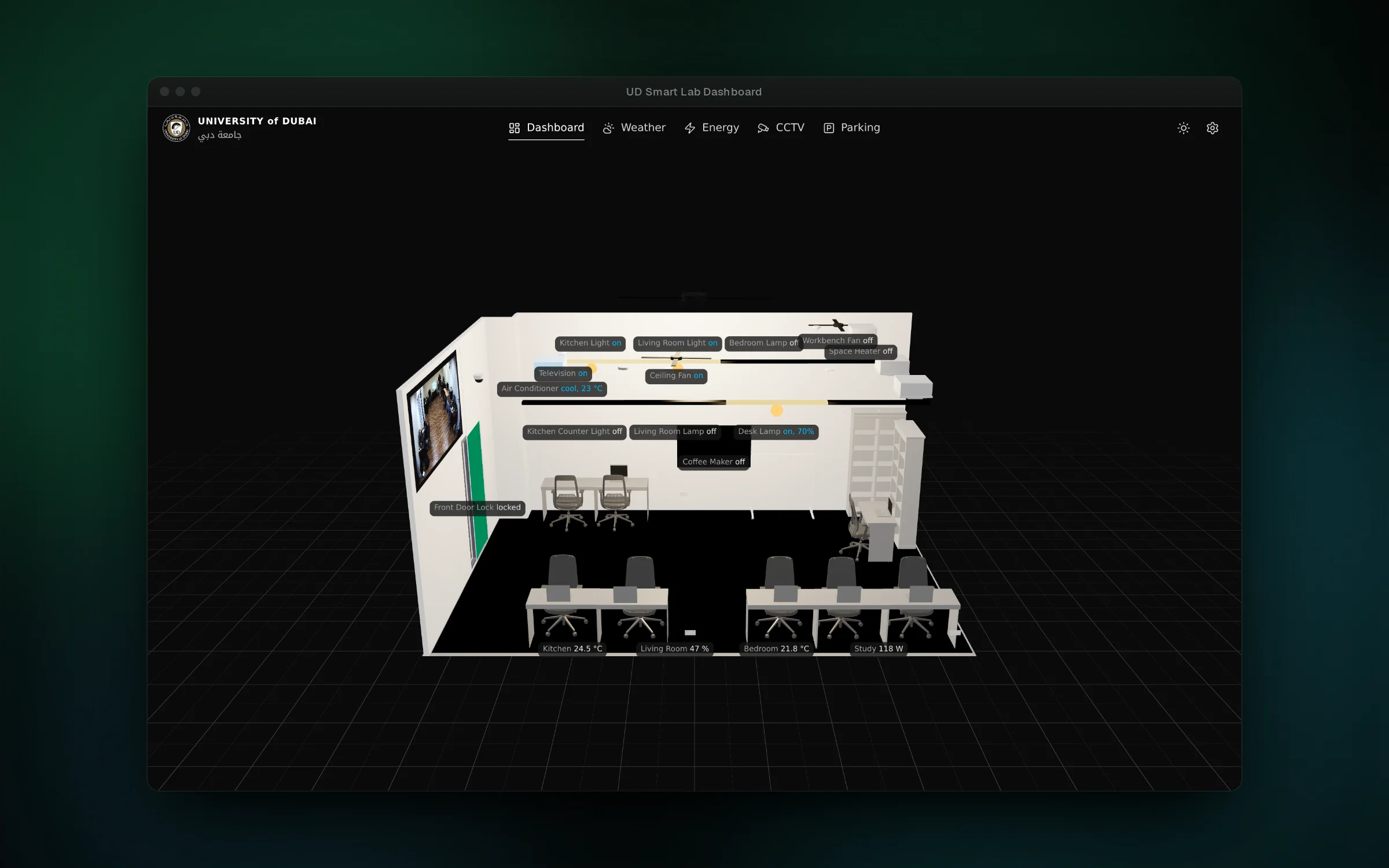
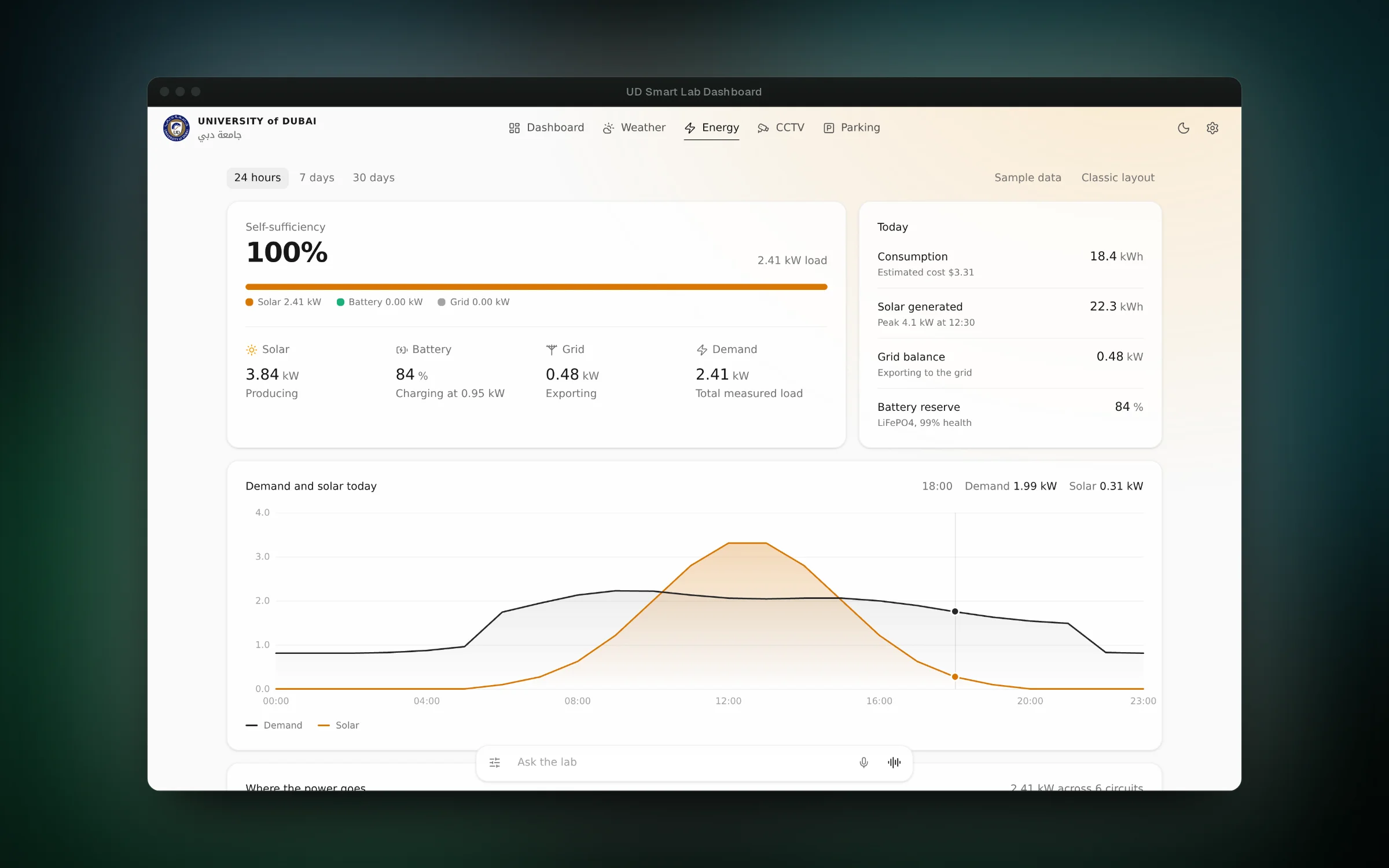
Instead of a grid of numbers, the dashboard puts a 3D model of the lab in the middle of the screen. Climate readings sit on one side, power and the gate camera on the other, and a wall of readings is placed inside the model itself. Other pages cover energy, weather, parking and CCTV, and an ask bar at the bottom of every page takes plain language, by typing or by voice.
This was a team project. Binyam started the repository and built the 3D lab viewer, the model loading and the first Home Assistant connection. Yared Zenebe built the pages that followed, including the early dashboard panels, energy, weather, parking, the chat widget, login and tests. Binyam then redesigned the interface around the twin, added the ask bar with voice conversation, the settings modal and a presentation mode for research figures.
Features
- Orbit, zoom and auto-tour a 3D model of the lab
- Read indoor and outdoor temperature, humidity, air quality and CO2 at a glance
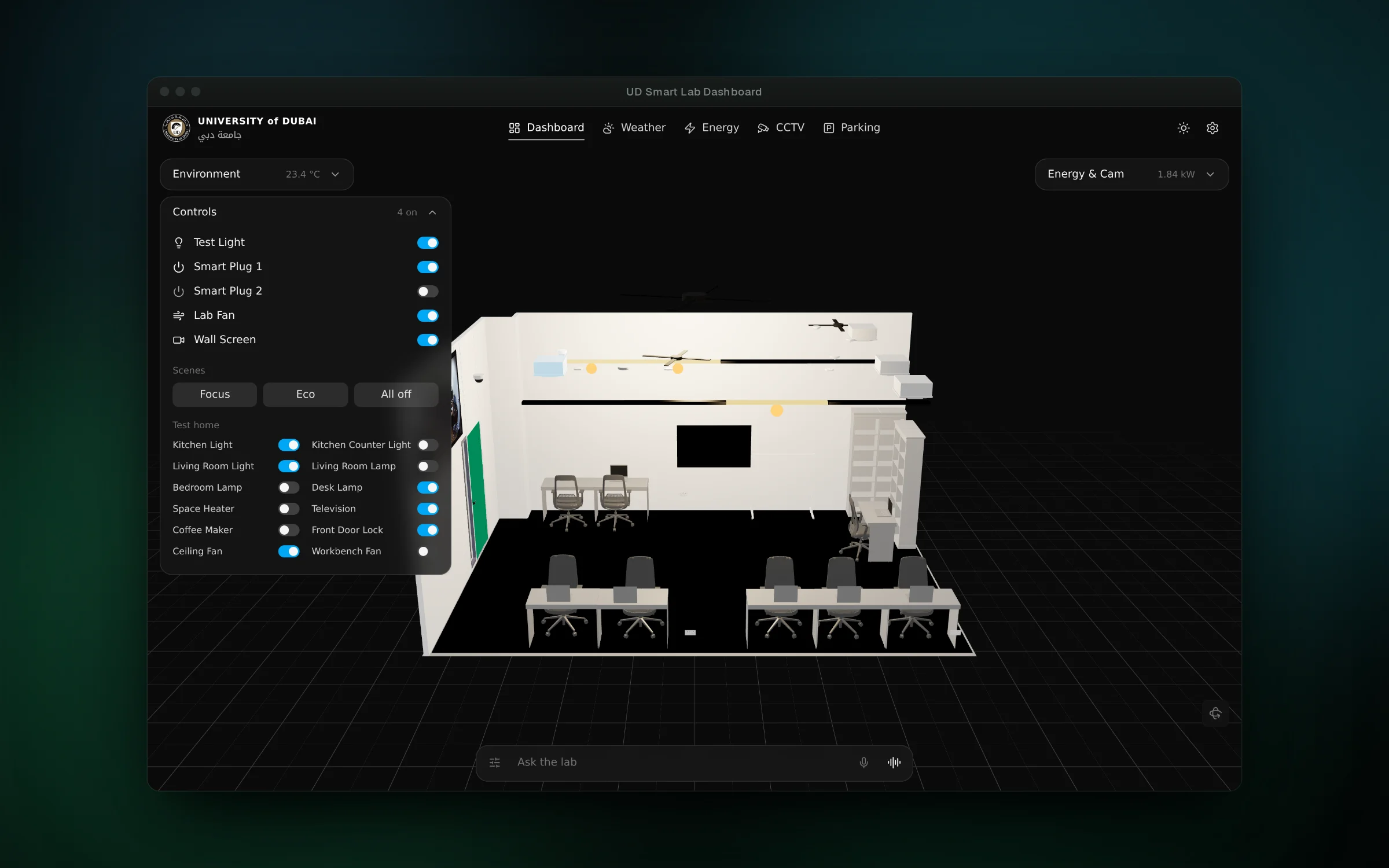
- Switch lights, plugs, the fan and the wall screen, or run a scene, from one panel
- Ask the lab for something by typing or by voice, and watch the assistant's steps as it works
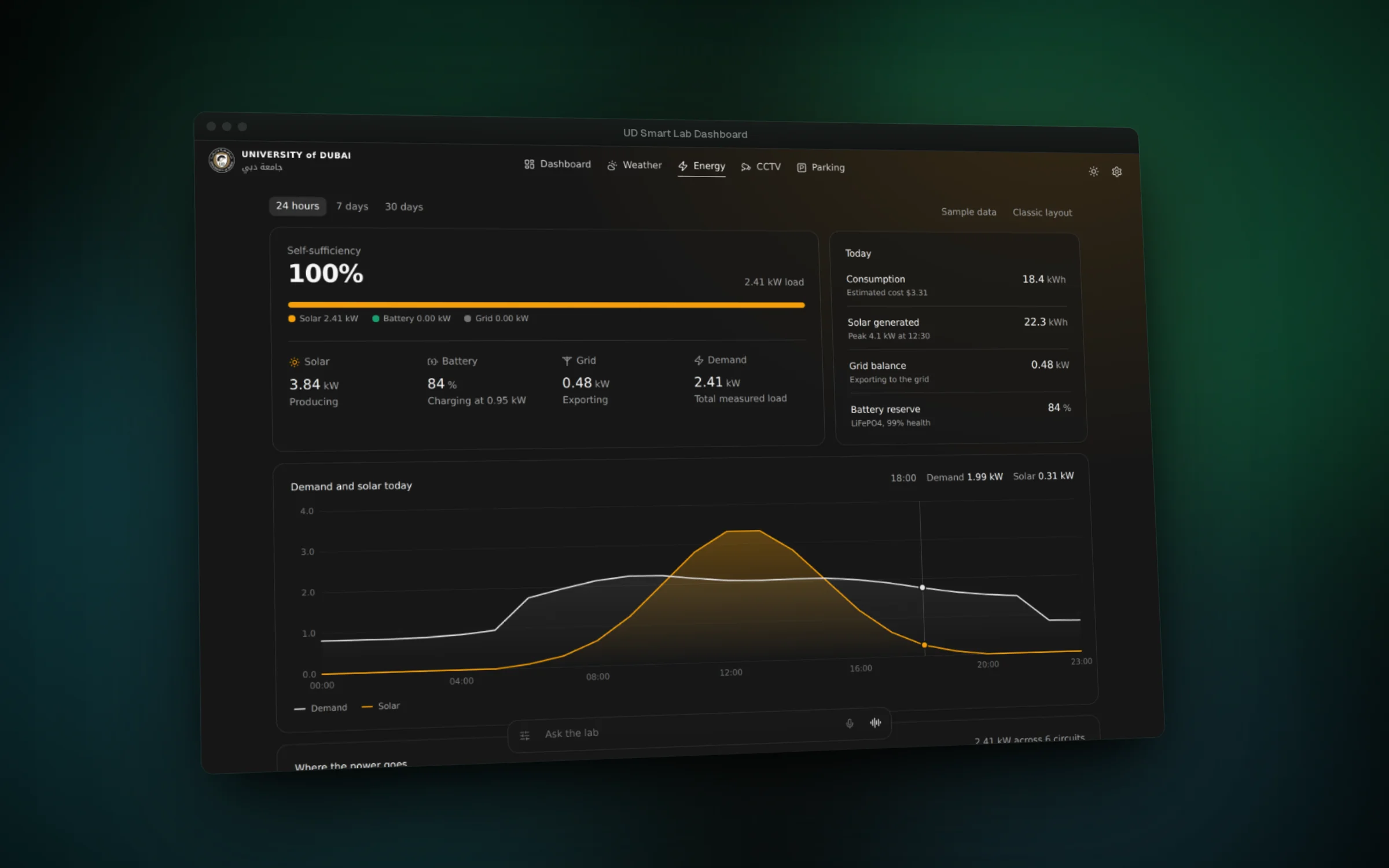
- Follow solar generation, battery, grid feed-in and building load over a day, a week or a month
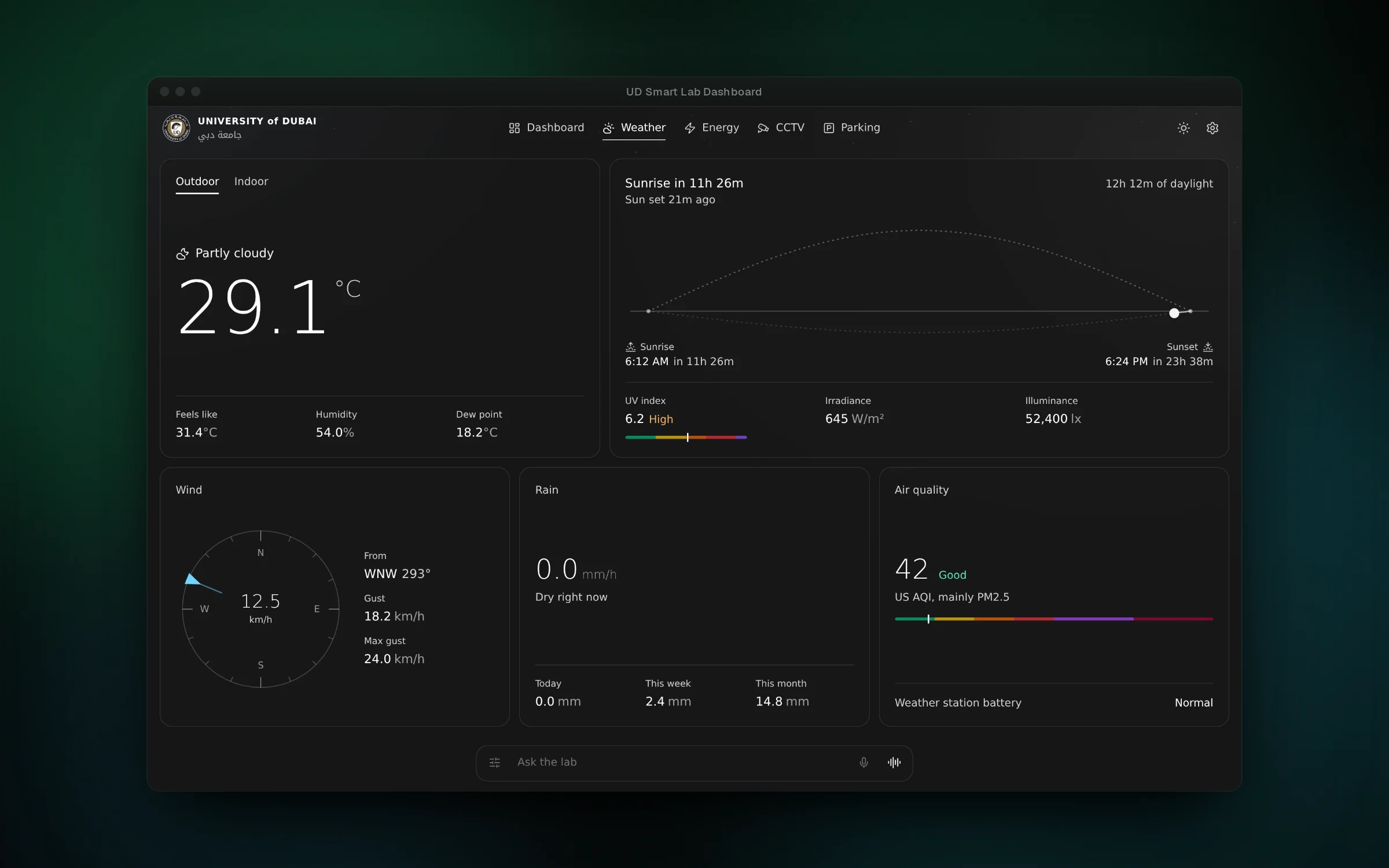
- Compare the outdoor weather station with indoor climate
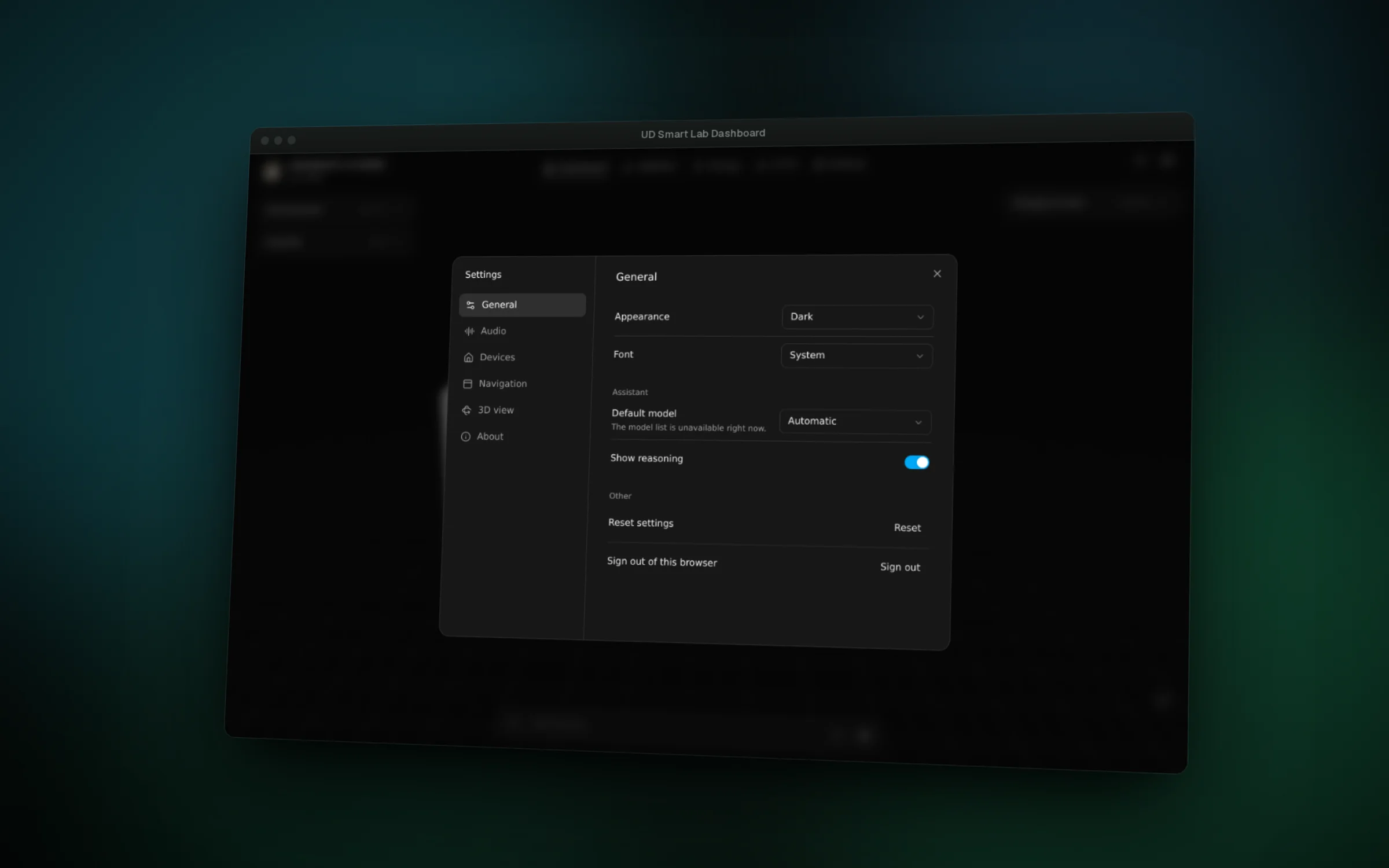
- Set appearance, fonts, the assistant model, voice and which tabs to show, and label every device for presentations
Challenges
- The lab model is a large OBJ file with materials. Loading it behind a custom loading screen, and centring it on an infinite grid, keeps the first view clean while the model streams in.
- The camera feed had to appear inside the 3D room, not just beside it. A video texture on a wall-mounted screen in the scene plays the feed where the real screen hangs.
- Without a Home Assistant connection the pages would be empty. The dashboard falls back to a demo mode with realistic readings, so the interface can be shown and tested away from the lab.
- Voice had to feel like a conversation rather than a form. Speech starts synthesising on the server as soon as the first words exist, plays clip by clip on the chosen speaker, and falls back to the most natural browser voice when the cloud is not reachable.