Web
PeerSphere
PeerSphere helps students find a fellow student who can tutor them and book a session in a few clicks. Tutors manage their calendar and earnings, and admins approve tutors and watch how the platform is doing.

 Source code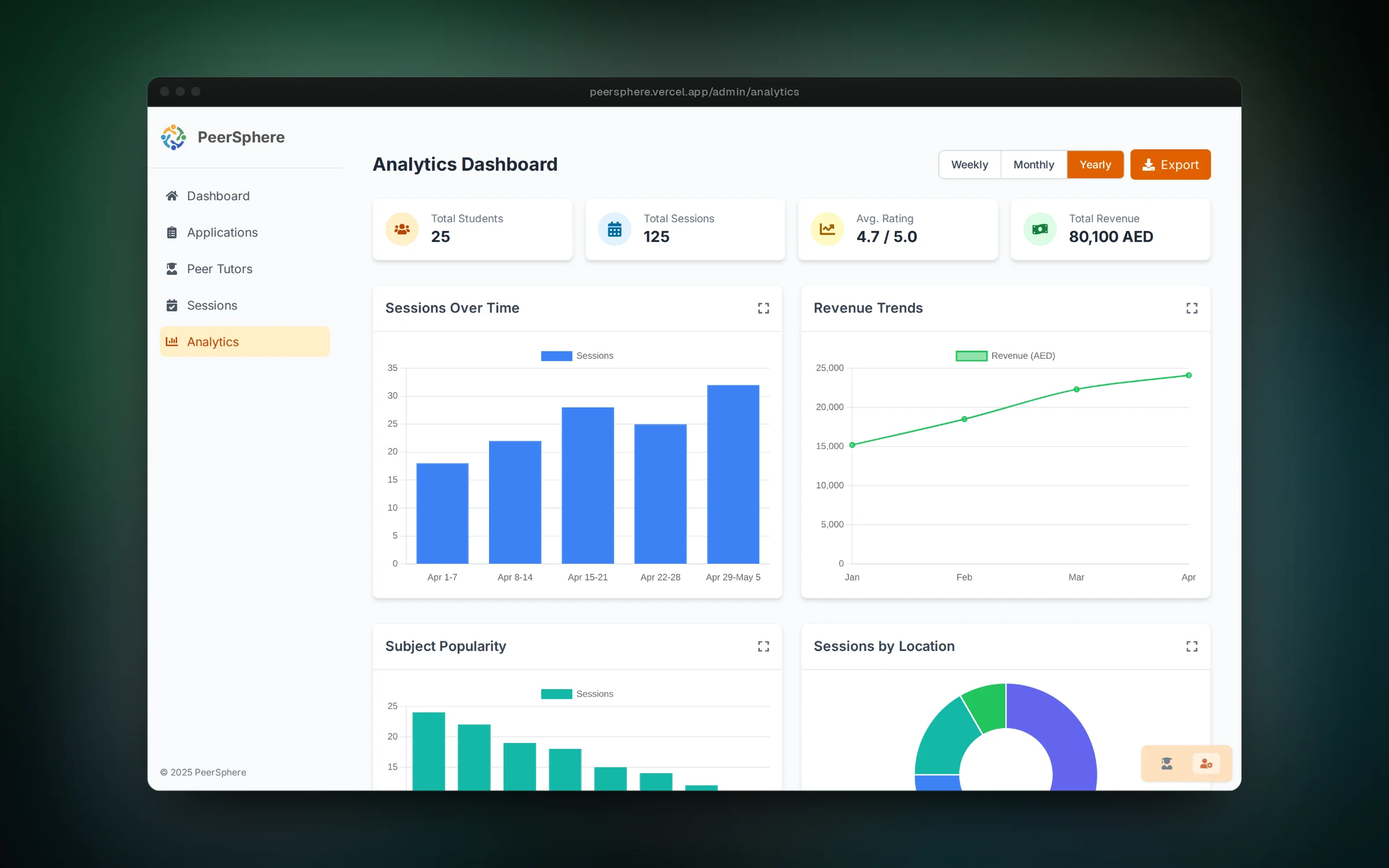

01 / 06Admins track sessions, revenue and popular subjects
Overview
Getting help from a student who took the same course last year is often cheaper and more useful than a formal tutor, but finding that person is hard. PeerSphere puts those tutors in one place, with their subjects, ratings and open time slots.
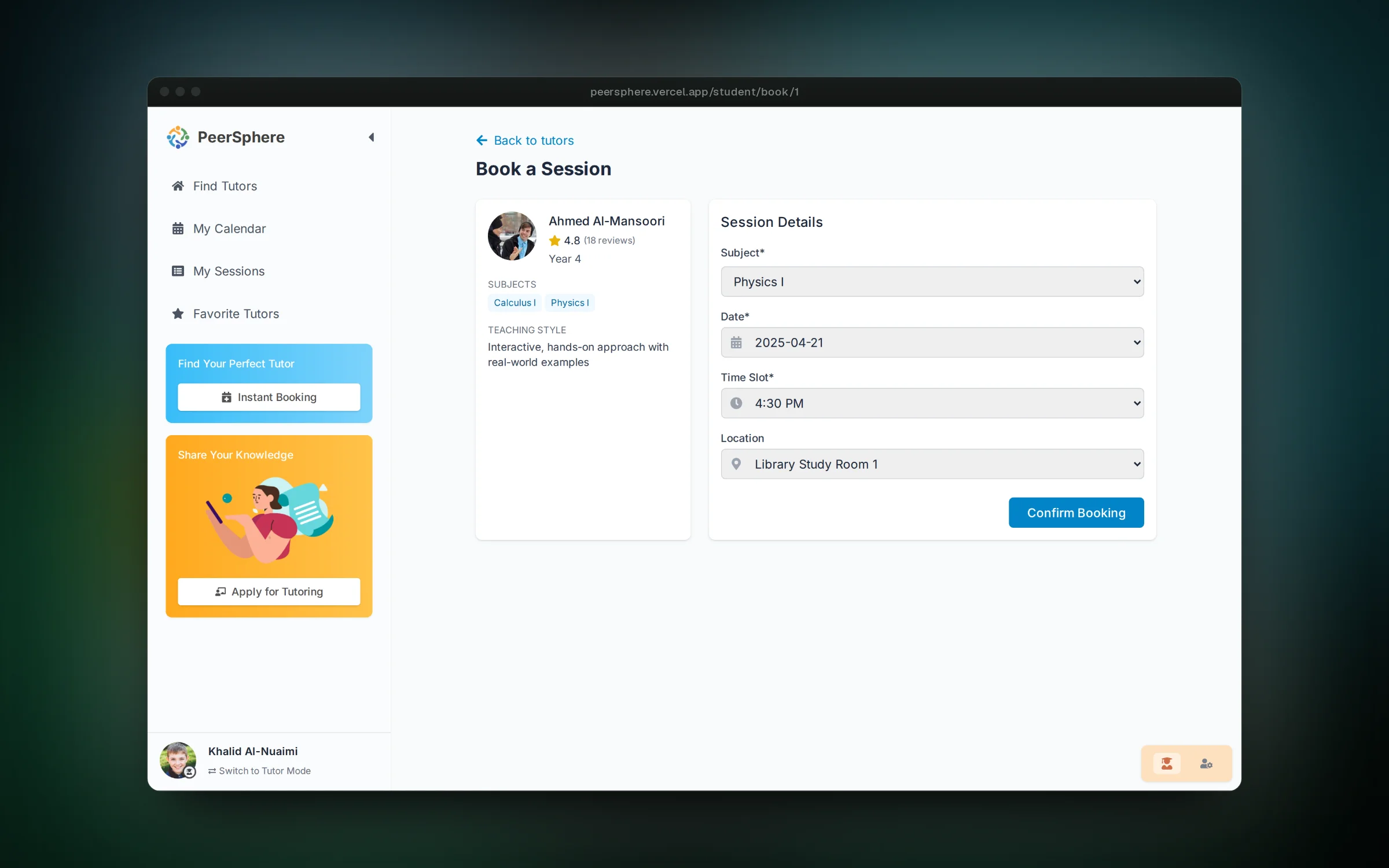
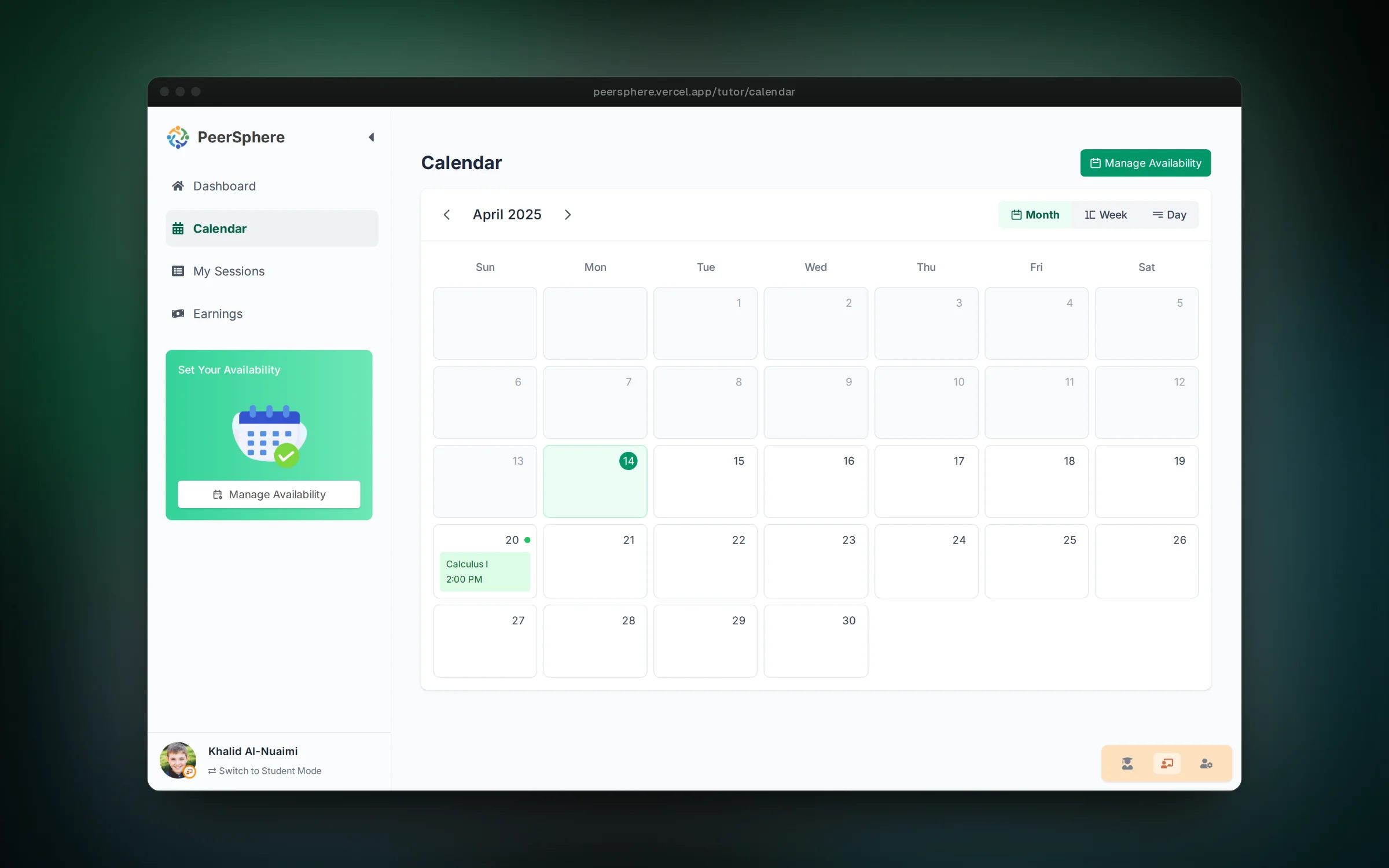
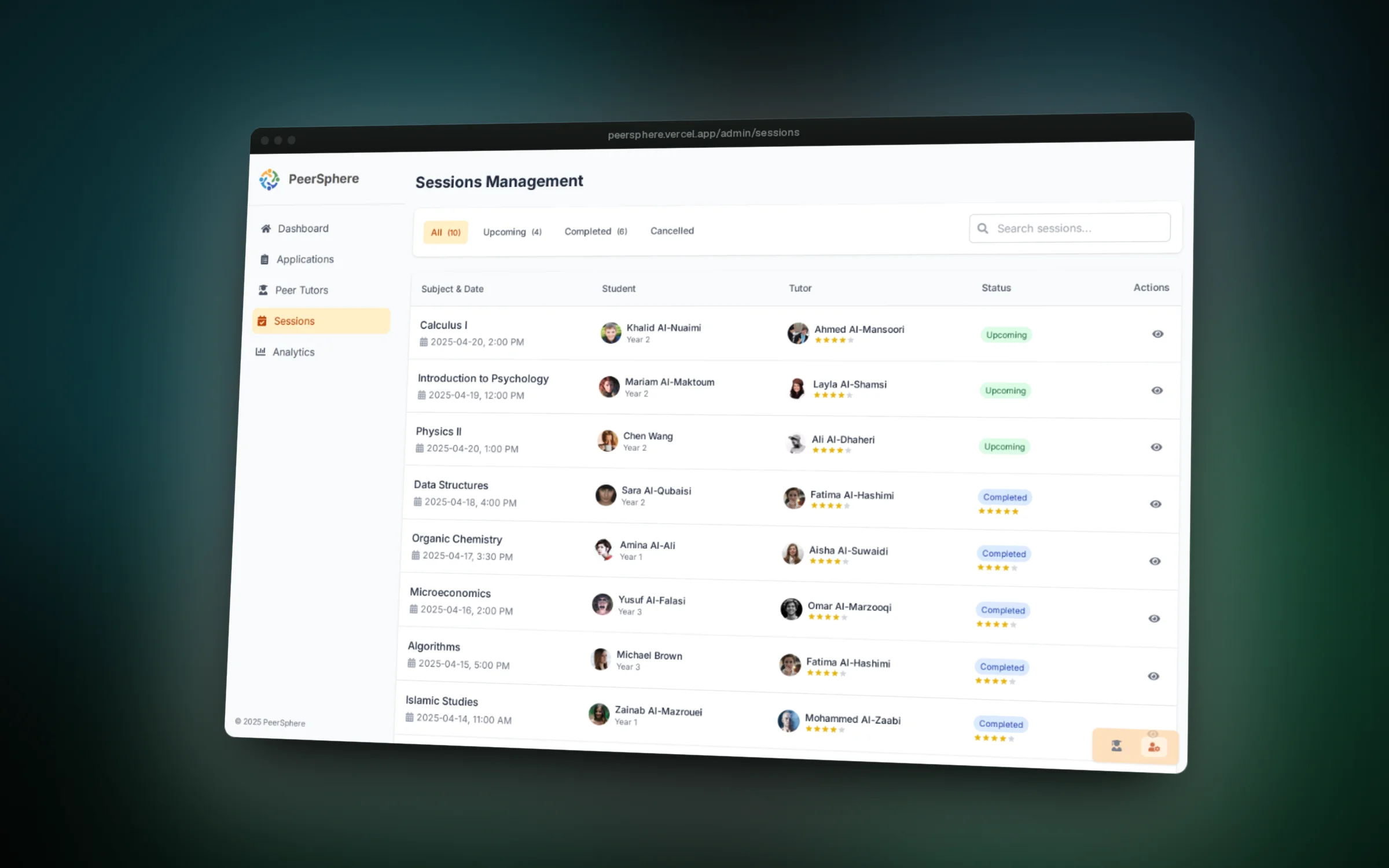
The app has three sides. Students search for tutors, book a session and keep track of what is coming up. Tutors set their availability and see their sessions and earnings. Admins review tutor applications, monitor every session and read charts on sessions, revenue and popular subjects.
It runs on mock data, and a role switcher in the corner lets anyone walk through all three views without signing up.
Features
- Browse tutors by subject, rating and year, and save favorites
- Book a session by picking a subject, date, time slot and location
- See upcoming, completed and cancelled sessions, with reschedule and cancel buttons
- Tutors get a calendar, a session list and an earnings page
- Admins approve or reject tutor applications and see every session in one table
- Analytics with sessions over time, revenue trends, subject popularity and locations
Challenges
- Keeping three very different dashboards consistent by sharing one layout, sidebar pattern and color per role
- Making a booking immediately show up for both the student and the tutor using shared app state instead of a backend
- Offering only time slots that fit a tutor's availability once a date is chosen
- Keeping mock data in JSON files behind one context so a real API can replace it later